Home›Guides›Draft online, then play the deck you drafted
Draft online, then play the deck you drafted
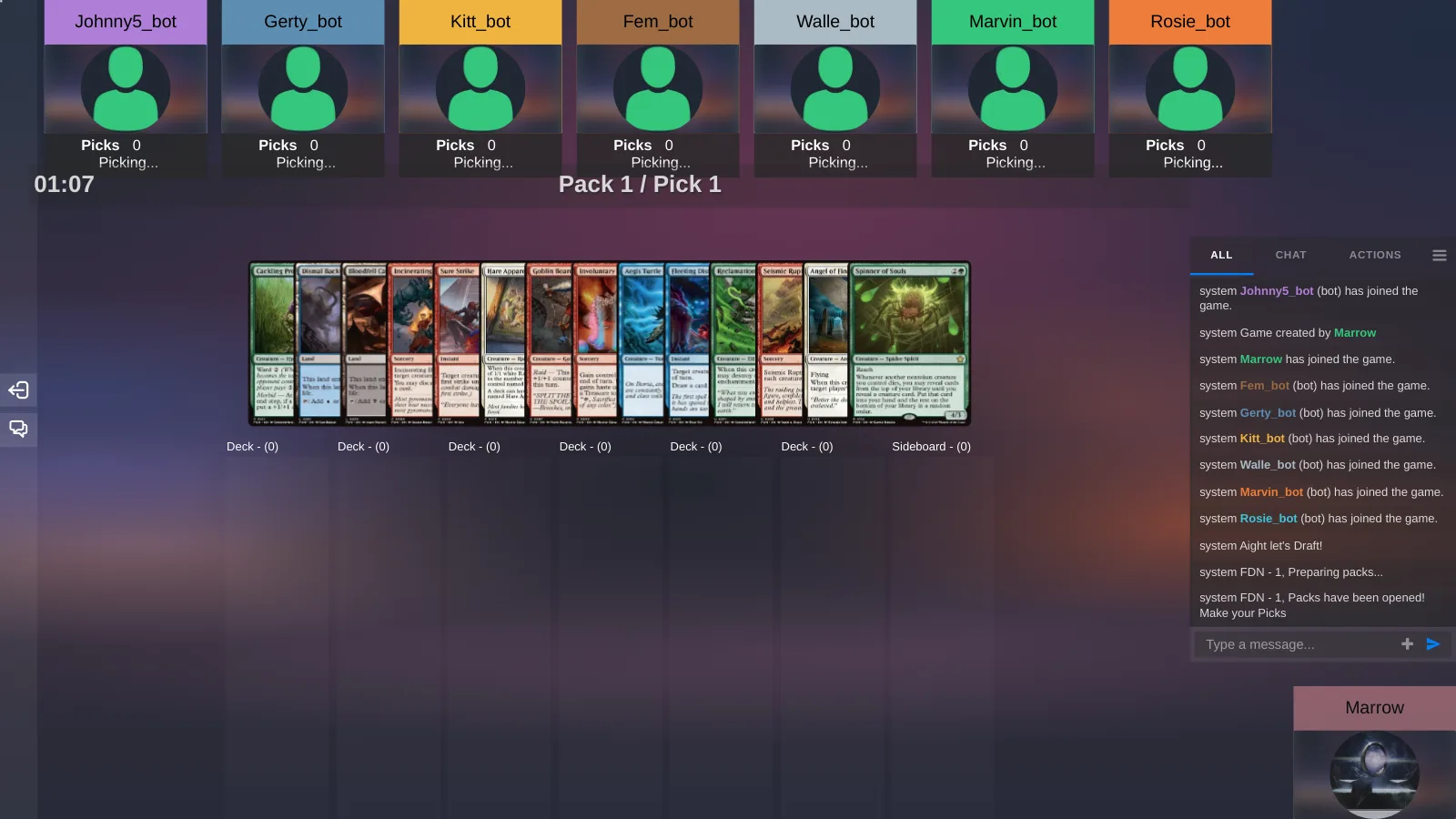
There are two things people mean by "draft simulator". One is a pick-trainer: open a pack, pick against bots, learn the set, end with a decklist. The other is a draft that ends in a game: eight seats, three packs, build a forty-card deck and play it against the pod you drafted with. The trainers are better at the first and this page says which to use. Untap.in is built for the second, and this is how it works.
Play-test a deck nowin your browser · nothing to install
Pick-trainers and tables are different tools
| Bots | Draft with friends | Play the deck after | Sets | |
|---|---|---|---|---|
| Untap.in | Yes, smart or random, or none | Yes, up to eight seats | Yes, at the same table | Any set in the database, any CubeCobra cube, sealed |
| Draftsim | Yes, with pick suggestions | Yes, a lobby | No | Every set |
| TappedOut | Yes | Through a shared chat | No, export to MTGO | Many |
| Scrollvault | Seven AI seats | No | No | Recent sets |
| dr4ft | Yes | Yes, if you host it | No | Sets and cubes |
If you are learning a new set before a prerelease, Draftsim's pick suggestions will teach you faster than any table will, and there is nothing wrong with drafting there and never playing a game. If you want the draft to be the first half of a night with friends, you need a place where the forty cards you picked become a deck and sit down against the other seven, without exporting anything. That is the whole difference, and it is the only reason to prefer the table.
How a draft runs on Untap.in
- Open a draft from New Game. Choose Draft, pick a set for each pack — three packs is the default, up to eight — and set the pick timer, from forty-five seconds to five minutes. The pod seats eight.
- Let the seats fill. Friends join from the link or the lobby. When you are tired of waiting, Start now fills the empty seats with bots: smart ones that read colour signals and build a deck, or random ones if you want the packs to wheel. You can also run the draft with no bots at all and start when the humans are ready.
- Pick. The pack is in front of you with the timer running; drag a card to your deck or your sideboard and the pack passes. One pick per pack, and the engine refuses a second.
- Build. When the packs are done, sort your picks into a deck and a sideboard, add basics, and save it. It lands on your account as a deck like any other.
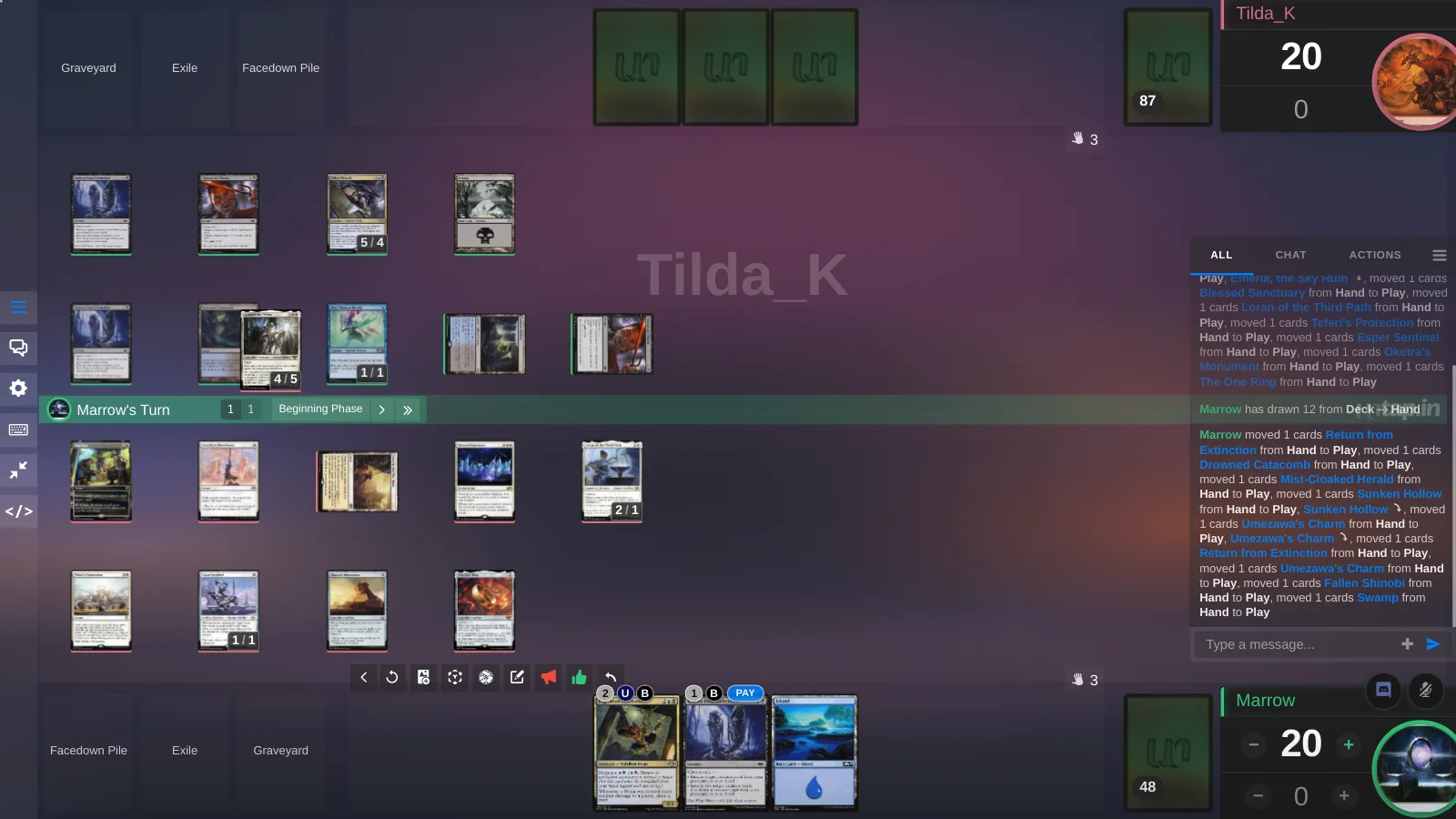
- Play. The pod is already at a table. Pair up and play the matches with the decks you just built — voice, counters, Rewind and a replay of every game, the same as any game on the site.
Cube and sealed
Cube. Paste a CubeCobra list URL into Decks and it imports as a cube on your account. Open a Cube game, choose it, set the pack size — fifteen is the default, five to twenty-five — and the pod drafts your list with the same seats, bots and timer. A friend's cube works the same way if they share it.
Sealed. Six packs from the sets you choose, dealt all at once, with a build timer from thirty minutes to a day. No picks, no bots, no passing: everyone opens, builds and plays. It is the right format when the pod is two or three people, because a draft with five bots is mostly bots.
What you can draft
Any Magic set in the database with enough cards to make packs, which is nearly all of 6,520 of them, from the current release back through the old ones. Packs are built from the set's rarity structure, so a pack looks like a pack. Draft is on for Lorcana and One Piece as well, from their own sets. If your pod would rather draft a curated list, that is what cube is for.
After the draft
The deck stays. It is on your account with every pick in it, so you can goldfish it the next day, tune it, or take it to the lobby and play it against people who were not in the pod. A game created with Drafted decks only in its title keeps the format honest for a league night. And because every game is recorded, the match you lost on pick 1 of pack 3 is there to watch back.
Frequently asked questions
Can I booster draft online with friends for free?
Yes. Open a Draft game on Untap.in, send the link, and start when the pod is in. Bots fill the seats you cannot. There is no cost to draft or to play the matches.
Do I need eight people to draft?
No. The pod seats 8, and Start now fills every empty seat with a bot. Two humans and six bots is a real draft; for two or three people, sealed is usually the better night.
Can I play the deck I drafted against the other drafters?
Yes, and that is the point: after the build the pod is already at the table, and the decks you made are played there.
Which sets can I draft?
Any Magic set in the database with enough cards to make packs, and any cube you import from CubeCobra. Sealed deals six packs from the sets you pick.
How do the bots draft?
Smart bots read colour signals and pick for a deck; random bots take anything, which makes packs wheel. You can also turn bots off and draft with only the humans present.
Is this a draft practice tool like Draftsim?
Not really. Draftsim will teach you a set faster, with pick suggestions. Untap.in is for a draft that ends in games with the people you drafted with.
Can I draft a cube from CubeCobra?
Yes. Paste the cube list URL into Decks and it imports as a cube; open a Cube game and choose it.
Bring a list
Import a deck, goldfish a few hands, then open a table and send your pod the link. It runs in the browser, and the first play-test takes about as long to set up as reading this did.
Play-test a deck nowMore guides
Where to play Commander online depends on what you are trying to do: goldfish a new list, play your pod across three cities, play your paper deck over webcam, or have the rules enforced. Every option, honestly compared.
Updated 11 November 2026 How to play-test a Magic deck onlineGoldfishing tells you whether a list works on its own; a real opponent tells you whether it works. How to do both online, what the deck-site playtesters can and cannot do, and how to test a change instead of guessing.
Updated 11 November 2026 MTG Arena has no Commander. Here is how to play it anywayArena's Brawl is two players at 25 life, and there is no four-player mode. Export the deck from Arena, paste it into Untap.in, and sit at a four-seat Commander table in the browser with the list you already built.
Updated 11 November 2026 Import a deck from Moxfield, Archidekt or anywhere elsePaste a deck URL from Moxfield, Archidekt, EDHREC, MTGGoldfish and dozens of other sites, or a plain-text list, and play-test it online in the browser. Every printing kept, sideboard included, nothing retyped.
Updated 11 November 2026 A Cockatrice alternative that runs in the browserCockatrice is a free desktop tabletop for Magic with no rules engine. Untap.in is the same idea with no download, voice at the table, rewind, replays and 50-odd other card games. When to switch, and when not to.
Updated 11 November 2026 An XMage alternative, for the half of you who should switchXMage enforces every rule and runs as a Java download. Untap.in trusts the table and runs in the browser. Which one you want depends on whether you are learning the rules or play-testing a deck — this page says which is which.
Updated 11 November 2026 A Tabletop Simulator alternative for card gamesTabletop Simulator is a paid 3D sandbox that becomes a card table through mods. Untap.in is a flat table built for card games, free for everyone at it, with the card database kept for you. For Magic and 50-odd other games.
Updated 11 November 2026 Play-test your own card game onlineDesigning a card game, or custom cards for one? Upload the cards with their art and text, build decks from them, goldfish alone or sit on both sides, then play-test against real people in the browser. No rules engine to code against.
Updated 11 November 2026 Pokémon TCG Pocket on a shared tablePlay-test a Pokémon TCG Pocket deck online with cards you have not pulled yet, against a friend, in the browser. Twenty-card decks, Limitless import, points on a counter, no rules engine. What the app does that a table cannot, and the other way round.
Updated 11 November 2026 Pokémon TCG online in the formats the official client will not runTCG Live runs Standard, a trimmed Expanded, and Gym Leader Challenge only in rotating windows. A shared table runs whatever your group agrees to: full Expanded, GLC any day, a 2003 deck against a 2005 deck. How, and what to expect.
Updated 11 November 2026 Play Union Arena onlineBandai has no online client for Union Arena, and TCG+ builds decks but does not play. Untap.in has the card pool and a two-seat table in the browser: import or type a fifty-card deck, send a link, and play the game the way you would across a mat.
Updated 11 November 2026 Play Final Fantasy TCG onlineA browser table for Final Fantasy TCG with every printing synced from Square Enix's official card list, deck import from FFDecks and Materia Hunter, and a real opponent. For when the Tabletop Simulator mod is four sets behind.
Updated 11 November 2026