Home›Guides›How to play-test a Commander deck online
How to play-test a Commander deck online
You built a list at one in the morning and you want to know whether it works before you spend money sleeving it. Or your pod has scattered across three cities and Tuesday night needs somewhere to happen. Or you want a judge in the room. Those are different problems, and the right place to play Commander online is different for each of them. This guide starts from what you are trying to do, then goes through every option that is actually worth your time — including the ones that are not ours.
Play-test a deck nowin your browser · nothing to install
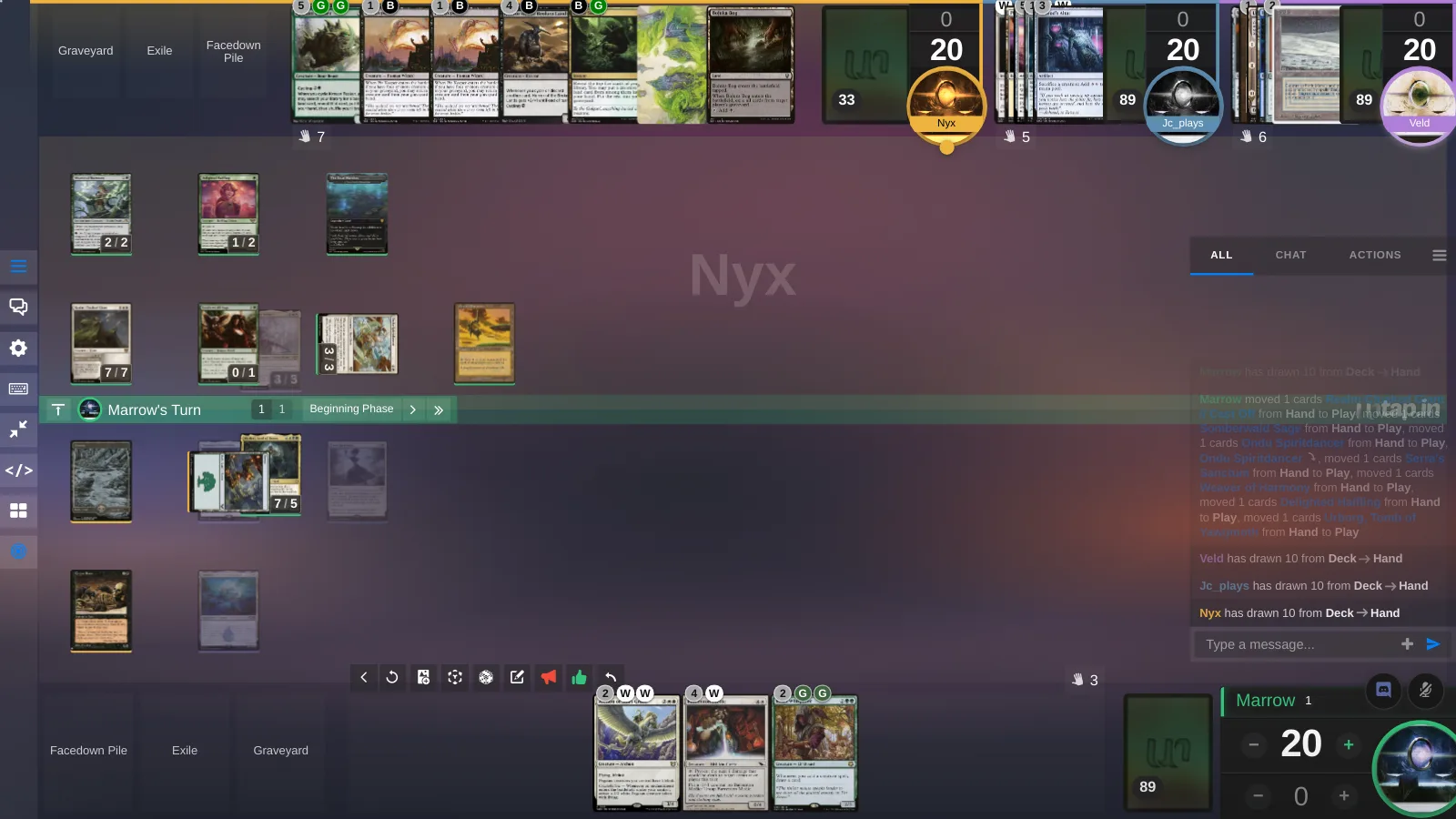
Start with what you are trying to do
| What you want to do | Best pick | Also works |
|---|---|---|
| Goldfish a new list tonight | Untap.in (Solo, or Deck vs Deck for list A against list B) | Forge, if you want the rules enforced while you goldfish |
| Play the Tuesday game with a pod in three cities | A browser table: Untap.in, EDHplay, Playgroup Live | Cockatrice, if everyone will install a desktop client |
| Find three strangers at 2am | Untap.in's public lobby and Discord | XMage's server list; the Magic Online Commander queue |
| Play the paper deck you own | SpellTable | Convoke |
| Have every rule enforced for you | XMage | Magic Online, if you will pay for cards |
| Play a sanctioned event with prizes | Magic Online | Nothing else does this |
| Tune a list across a dozen games | Untap.in (replays of every game, Rewind to try the other line) | Magic Online, if you track it yourself |
| Play on a phone | Untap.in | EDHplay |
The split that matters is whether you want the software to enforce the rules or to trust the table. An enforced client (XMage, Magic Online) resolves the stack, checks legality and stops you making an illegal play, at the cost of a download, a dated interface or a card economy, and the occasional card that is not implemented yet. A shared table (Untap.in and the other browser tables, Cockatrice, Tabletop Simulator) moves cards and tracks counters and lets your table resolve the game the way paper does, which is why every card works the day it is spoiled. Neither is wrong. Most people who play-test want the second; most people learning the rules want the first.
The four kinds of online Commander table
Browser tables
Nothing to install, a link to send, and the table trusts you. Untap.in is one account for 60 card games, with every one of Magic's 201,141 cards in the pool, deck import by URL from 32 sites, voice built into the table, and the four things in the section below that no other table here does: Rewind, replays, scripted cards and automatic resource tracking; a regular table opens with 4 seats and a Power Up opens the fifth and sixth. EDHplay is a Commander-only table with six seats, match history on a Patreon tier, and Discord for voice. Playgroup Live seats two to six in the browser with voice and a set of Commander helpers. TableCommander is a lighter browser table where you play every card by hand. If your pod only ever plays Commander, any of the four will do the job; if it plays anything else, or wants its games recorded, Untap.in is the one built for that.
Webcam over your paper deck
SpellTable, run by Wizards of the Coast, points a camera at your real cards and shows the other three players' tables beside yours, with card recognition so people can read what you cast. It is the closest thing to a paper game because it is one: you need the physical deck, a 720p webcam or a phone to use as one, and a tidy desk, and you shuffle for yourself. Pods are capped at four. Convoke does the same job and positions itself as the better-maintained alternative. Neither is any use for play-testing a list you have not bought yet.
Rules engines
XMage is the free, open-source Java client that enforces the rules: priority, triggers and state-based actions all happen automatically, and Commander seats three to ten. The trade-offs are a download, an interface from another decade, and the occasional card implemented wrong. Magic Online is Wizards' own enforced client with a multiplayer Commander queue, sanctioned events, and a card economy priced in one-dollar event tickets; it is Windows only, and the free deck-rental programs mean a Commander deck can cost very little to borrow. Forge is a free rules engine that is mostly a solo game against the AI; it can be hosted for friends, but there is no lobby, so it is a goldfishing tool more than a place to find a game. And no, MTG Arena does not have Commander: Brawl is its two-player, 25-life cousin, and there is no four-player anything.
Desktop tables and sandboxes
Cockatrice is the original free virtual tabletop for Magic: a desktop client, community servers you pick from, and a card database you keep updated yourself. It does what a browser table does without the browser, which means a download for everyone, no phone play, and voice through whatever you set up on the side. Tabletop Simulator is a 3D physics sandbox on Steam, about twenty dollars at full price, that becomes a Commander table through community mods; it looks great and it is the most "we're at a table" of the lot, at the cost of a purchase for everyone and flipping cards with a mouse in three dimensions.
Play-testing a list on Untap.in, start to finish
This is the part we can speak to directly. A play-test on Untap.in has three stages, and most people stop at whichever one answers their question.
- Bring the list in. Make an account, open Decks, choose Import, and paste the URL of your Moxfield, Archidekt or EDHREC list, or the decklist itself. The commander goes to the command zone; the ninety-nine go to the library.
- Goldfish it. Open a Solo game. Draw seven, mulligan, play it out against an empty seat. You are looking at how often you hit your land drops and a play by turn three, whether the commander comes down on curve, and which cards you keep wishing were something else. Rewind takes the table back if you misclick.
- Test the change. With a Power Up, a Deck vs Deck game seats several of your own decks at one table, so you can play the old list against the new one and settle whether the change was an improvement rather than a feeling.
- Take it to a pod. New Game, pick Magic, set the table to 3+ for four seats, name it, and choose a play style: Relaxed, Competitive, or beginners welcome. Send the link, or let the lobby fill it. Voice is in the table, spectators can watch without a seat, and the game is saved as a replay when it ends.
What a shared table can and cannot tell you
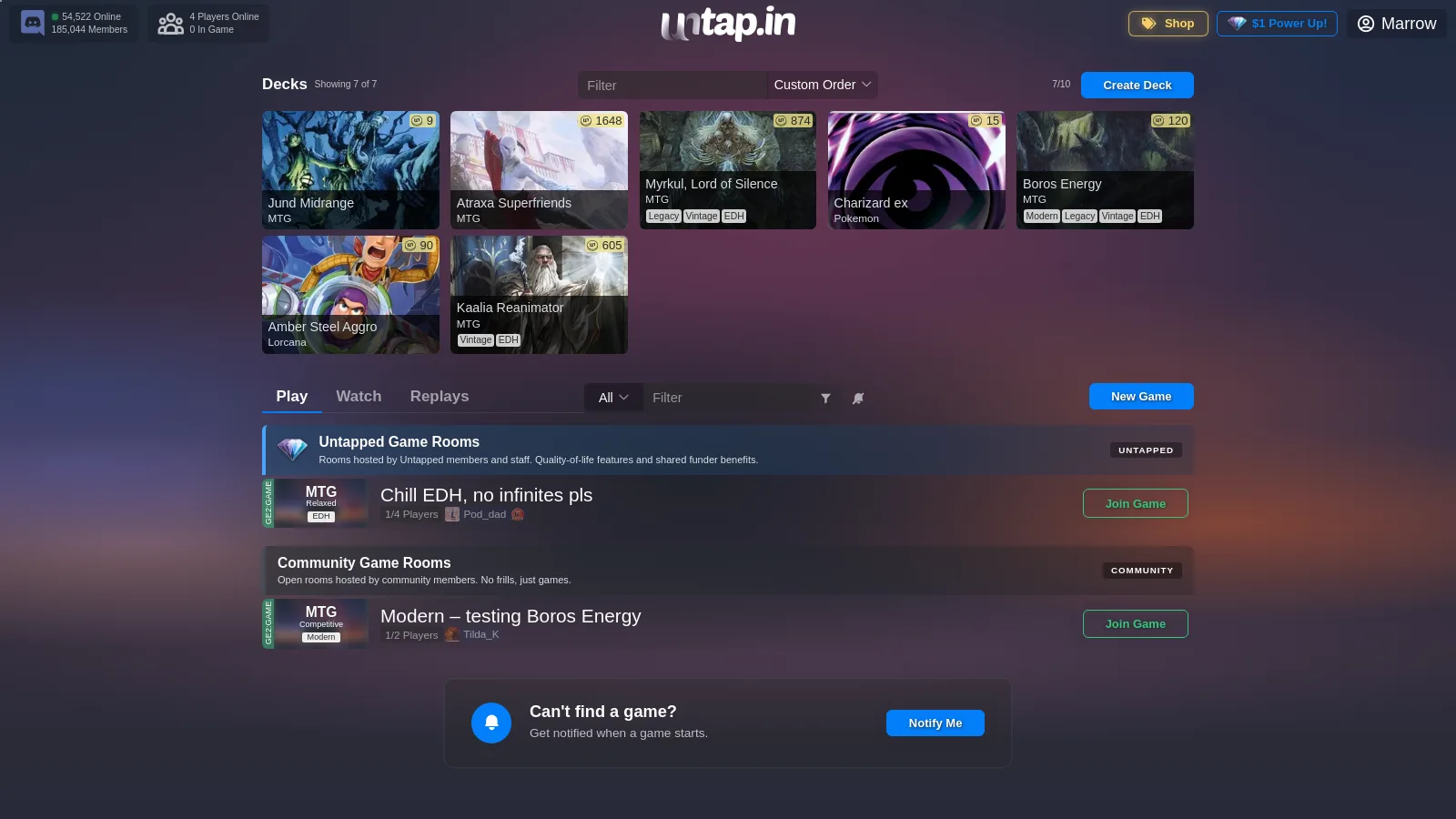
Be honest with yourself about this, because it decides which tool you want. A shared table will not stop you casting a sorcery at instant speed, will not count commander damage for you unless you put a counter on it, and will not tell you that your combo does not actually work. It assumes the people at the table know the rules, the same as a kitchen table does. What it gives you in exchange is speed and completeness: there is no list of unimplemented cards, a brand-new commander works the day it is spoiled, and a four-player game sets up in the time it takes to paste four URLs.
Counters track life, commander damage, poison and whatever else your pod cares about, and they stay in sync for every seat. If what you want is to be told when you are wrong, that is what XMage is for, and we would rather you used it for that than were disappointed here. What a trusted table can do instead is take the bookkeeping off your hands without taking the decisions — which is the next section.
What the table does for you: undo, replays, scripted cards, auto pay
None of the other options on this page has these, and together they are the difference between a table that moves cards and one that helps you play-test.
Rewind
Press the curved arrow on the game bar, or Ctrl+Z, and the table lists every action it has taken, newest first. Pick one and the whole table goes back to the moment before it: every seat, every zone, every counter, in sync for everybody. A misclicked draw, a card dragged to the wrong zone, a combat nobody meant to start — none of them cost the game. In a play-test it is better than that, because you can try a line, see where it leads, and rewind to try the other one.
Replays
Every game with two or more players is recorded and kept for thirty days. Open it from the Replays tab and watch it back turn by turn, from any seat's point of view, with a scrubber to jump to the turn you want to argue about. Watching is a Power Up perk; starring a replay keeps it past the thirty days. For a deck you are tuning, the replay of the game you lost is the most useful thing on the site.
Scripted cards
43,916 Magic cards carry a script. A scripted card shows a button for what its text asks for — draw two, make the 2/2 token, put a +1/+1 counter here, mill three — and pressing it does exactly that through your own ordinary actions, with a line in the log saying what it did. A card with a trigger asks before it fires rather than acting on its own, and nothing is ever decided for you: a script never chooses a target and never plays a card. The scripts are written in Untap Script, a small language anybody can write, and the same language powers Automatic resource tracking
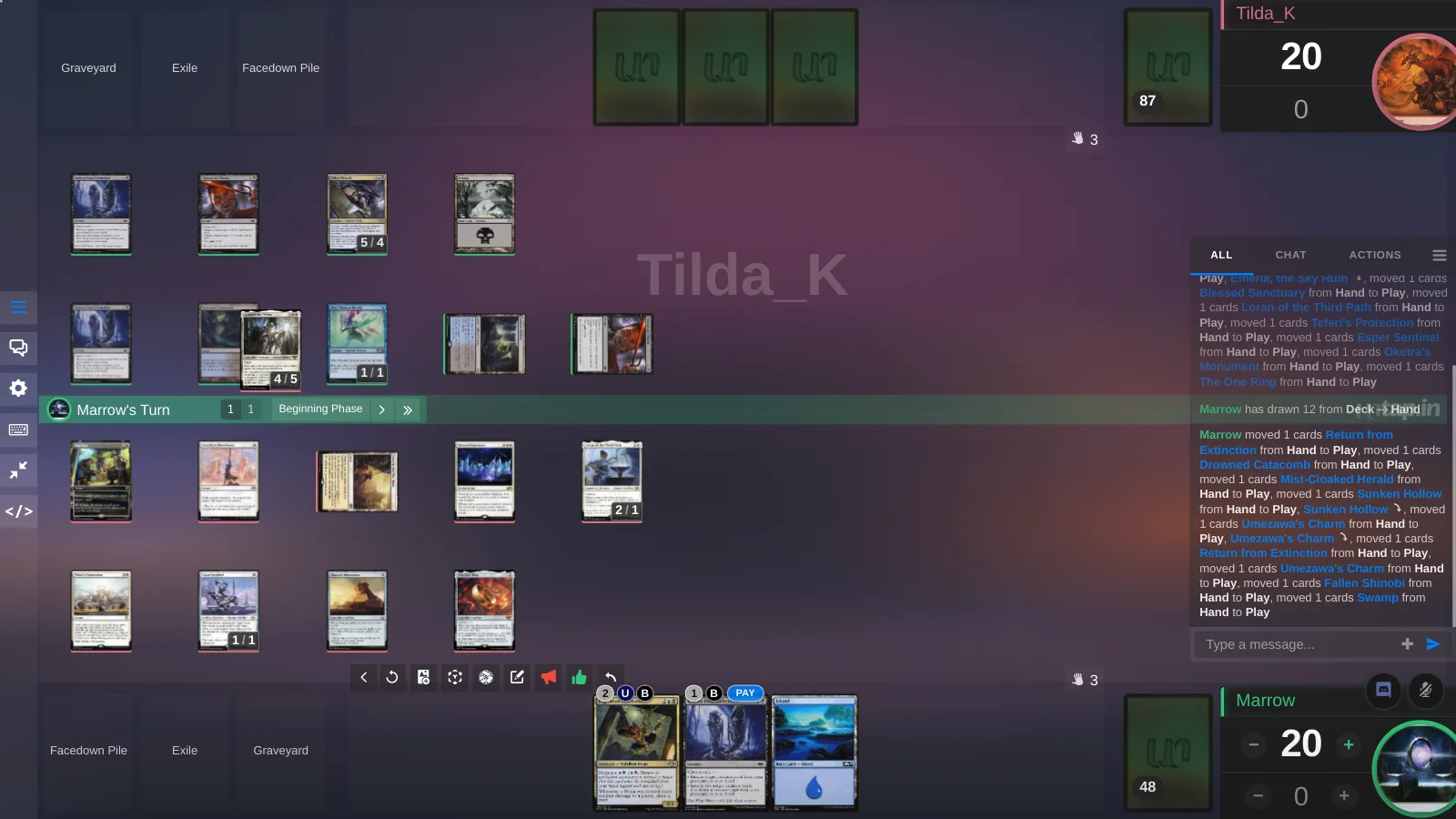
Every card in your hand shows its mana cost over the corner, washed out when your lands cannot cover it. A card you can afford gets a Pay button beside the cost: press it and the table taps the lands that pay for it, writes one line in the log saying which, and floats anything left over for the next card. It only taps — playing the card is still your click — and Undo untaps what Pay tapped. Hybrid and Phyrexian mana are understood; anything it cannot pay, it says so and touches nothing. The same helper runs for Lorcana, One Piece, Dragon Ball and Star Wars: Unlimited.
Board helpers: a board set up for Commander before you draw
A bare table is a bare table. A board helper is a whole board saved under one name — its snap boxes, counter trays, dice, counters, piles and the scripts written against them — so the table is laid out for the format before the first card is drawn. Load one and the furniture appears; unload it and the table is bare again.
What one does for Commander is the bookkeeping a pod otherwise does by hand. A box for the command zone and one per opponent for commander damage, with a tray that counts it. Lands that collect themselves into a row as you play them, and a button on that row to untap the lot. Creatures marked as summoning sick when they land and cleared on your next turn. A phase track that moves with the turn plate. Dice for the coin flips and the chaos cards. All of it is done through your own ordinary actions, written to the log, and none of it decides anything for you — a helper lays out the board and keeps count, it does not play.
You do not have to build one. The board menu's Board Helpers opens two tabs — yours, and the ones other people have published (26 for Magic at the time of writing) — where you can see what a helper puts on the board and read its script before you load it. Start a game with an empty board and the table offers the featured ones, the ones you have starred and your own; any of them can be set to load itself every time, for the game or for a named format, so your Commander table is always the Commander table. Up to three load side by side, and you can copy a published one and change it. Helpers are written in Untap Script, the same small language as the card scripts: a box is one line, a button is one line, and a handler that moves a card when it lands is five. You can keep three per game, or ten with a Power Up.
On a phone or tablet
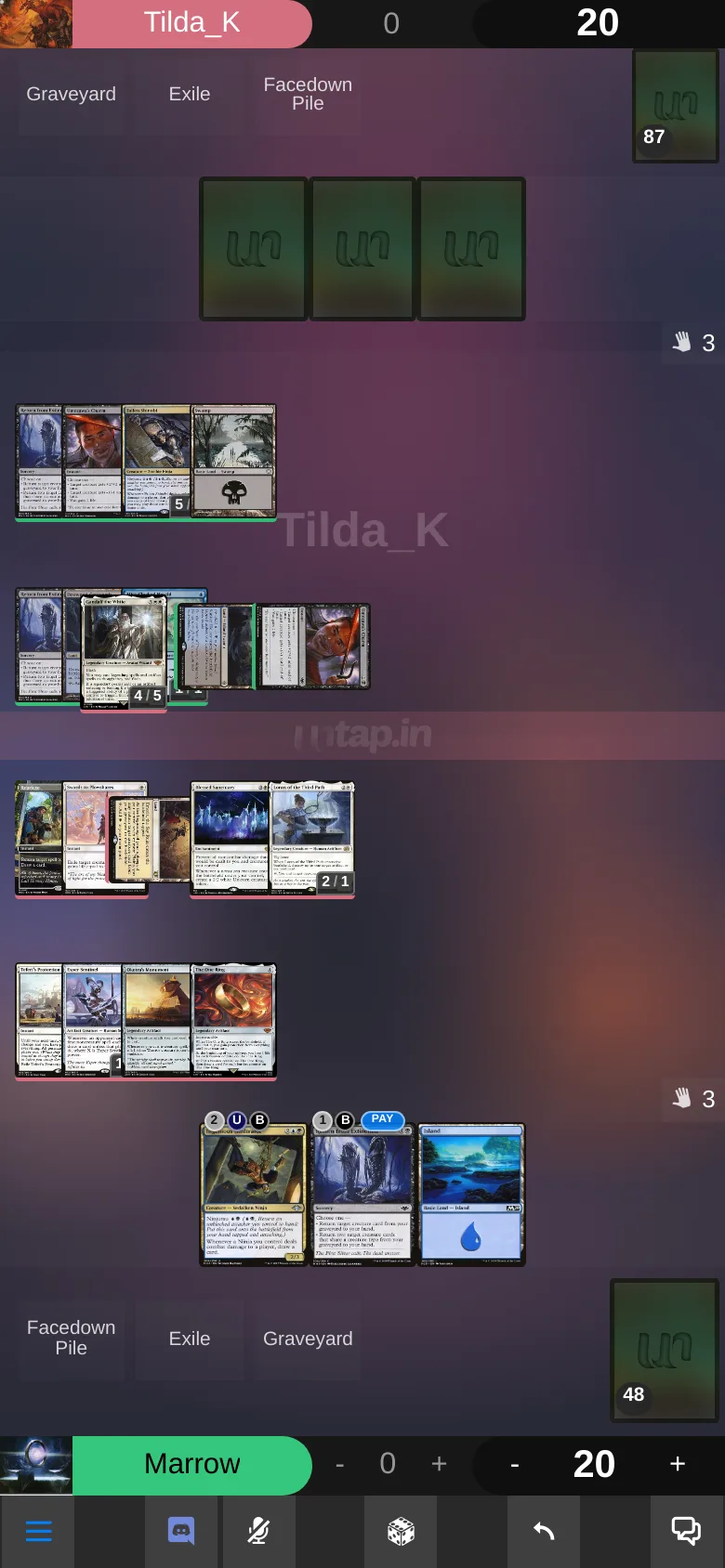
Untap.in and EDHplay are the two options on this page that work in a phone browser. Untap.in installs as an app from the browser on iOS and Android and lays the table out for a phone held upright: the opponent at the top, your cards in play in the middle and your hand along the bottom. Everything else here needs a desktop, a webcam or a Steam install.
Finding three other people
Finding a fourth is the hard part of online Commander, and it is where a big site helps. The Untap.in lobby lists open tables with their play style on the row, so a "Relaxed, no infinites" table and a cEDH table are not confused for each other, and the Untap.in Discord, 185,000+ members, has looking-for-game channels for Commander and every other game on the site. There is no invite link: you join by signing in with Discord, which links it to your Untap.in account (or creates one) and seats you in the server in the same step, so the person you find in a channel is the same person at the table. 2,733,779 Magic decks have been built on the site, which is a lot of people who want a game.
So which one?
- Play-testing a list, alone or with a pod: Untap.in.
- A Commander-only pod that wants six seats at no cost: EDHplay or Playgroup Live.
- Your real paper deck: SpellTable, or Convoke.
- Rules enforced: XMage for free; Magic Online if you want sanctioned events and will pay for cards.
- Goldfishing with the rules enforced: Forge.
- A native desktop app with your existing group: Cockatrice.
- A 3D table with your board-game group: Tabletop Simulator.
Plenty of pods use two. Nothing here stops you.
Frequently asked questions
Can I play-test a Commander deck online by myself?
Yes. On Untap.in, open a Solo game: draw hands, mulligan, and play your lines against an empty seat. Deck vs Deck, a Power Up perk, seats several of your own decks so you can play one list against another. Forge is the pick if you want the rules enforced while you goldfish.
How do I play Commander online with friends who live somewhere else?
A browser table: import your deck from a URL or a pasted list, open a new Magic game with 3+ seats, and send the link. On Untap.in the voice is in the table and spectators can watch too.
Do I need a webcam to play Commander online?
Only for SpellTable and Convoke, which show your real paper cards to the other players. Every other option on this page uses digital cards and no camera.
Is there a way to play Commander online that enforces the rules?
XMage does, for free, with Commander seats for three to ten. Magic Online does too, with sanctioned events, and cards there cost money unless you use a rental program. Untap.in and the other browser tables deliberately leave the rules to the table.
Can I play Commander on MTG Arena?
No. Arena has Brawl, a two-player format at 25 life built around a commander, and no four-player mode.
How many people can sit at an online Commander table?
On Untap.in a regular table seats 4, or 6 with Power Up. EDHplay and Playgroup Live seat up to six, SpellTable four, XMage up to ten.
Will my Moxfield or Archidekt deck work?
Yes. Paste the deck URL into Untap.in and it arrives as a ready-to-play deck, commander in the command zone. 32 deck sites import that way, and a pasted text list works everywhere.
Can I undo a misclick in an online Commander game?
On Untap.in, yes: Rewind lists every action the table has taken and restores the whole table to before the one you pick, for every seat. The enforced clients let you undo within the rules they allow; the other browser tables and webcam play do not.
Does Untap.in do anything automatically?
The bookkeeping, not the decisions. 43,916 Magic cards carry a script that does what the text says at a click and asks before a trigger fires; Pay taps the lands for a card in hand and floats what is left; counters and the log keep every seat in sync. It never chooses a target, plays a card or stops a play.
Can I play-test Commander on a phone?
Yes, on Untap.in. It runs in the phone browser and installs as an app, with the table laid out for a phone held upright. EDHplay also runs in a phone browser; the desktop clients do not.
Bring a list
Import a deck, goldfish a few hands, then open a table and send your pod the link. It runs in the browser, and the first play-test takes about as long to set up as reading this did.
Play-test a deck nowMore guides
Goldfishing tells you whether a list works on its own; a real opponent tells you whether it works. How to do both online, what the deck-site playtesters can and cannot do, and how to test a change instead of guessing.
Updated 11 November 2026 MTG Arena has no Commander. Here is how to play it anywayArena's Brawl is two players at 25 life, and there is no four-player mode. Export the deck from Arena, paste it into Untap.in, and sit at a four-seat Commander table in the browser with the list you already built.
Updated 11 November 2026 Draft online, then play the deck you draftedBooster draft, cube and sealed in the browser: bots fill the empty seats, you draft from any set in the database or a CubeCobra list, and the deck you build is played at the same table. Compared honestly with the pick-trainers.
Updated 11 November 2026 Import a deck from Moxfield, Archidekt or anywhere elsePaste a deck URL from Moxfield, Archidekt, EDHREC, MTGGoldfish and dozens of other sites, or a plain-text list, and play-test it online in the browser. Every printing kept, sideboard included, nothing retyped.
Updated 11 November 2026 A Cockatrice alternative that runs in the browserCockatrice is a free desktop tabletop for Magic with no rules engine. Untap.in is the same idea with no download, voice at the table, rewind, replays and 50-odd other card games. When to switch, and when not to.
Updated 11 November 2026 An XMage alternative, for the half of you who should switchXMage enforces every rule and runs as a Java download. Untap.in trusts the table and runs in the browser. Which one you want depends on whether you are learning the rules or play-testing a deck — this page says which is which.
Updated 11 November 2026 A Tabletop Simulator alternative for card gamesTabletop Simulator is a paid 3D sandbox that becomes a card table through mods. Untap.in is a flat table built for card games, free for everyone at it, with the card database kept for you. For Magic and 50-odd other games.
Updated 11 November 2026 Play-test your own card game onlineDesigning a card game, or custom cards for one? Upload the cards with their art and text, build decks from them, goldfish alone or sit on both sides, then play-test against real people in the browser. No rules engine to code against.
Updated 11 November 2026 Pokémon TCG Pocket on a shared tablePlay-test a Pokémon TCG Pocket deck online with cards you have not pulled yet, against a friend, in the browser. Twenty-card decks, Limitless import, points on a counter, no rules engine. What the app does that a table cannot, and the other way round.
Updated 11 November 2026 Pokémon TCG online in the formats the official client will not runTCG Live runs Standard, a trimmed Expanded, and Gym Leader Challenge only in rotating windows. A shared table runs whatever your group agrees to: full Expanded, GLC any day, a 2003 deck against a 2005 deck. How, and what to expect.
Updated 11 November 2026 Play Union Arena onlineBandai has no online client for Union Arena, and TCG+ builds decks but does not play. Untap.in has the card pool and a two-seat table in the browser: import or type a fifty-card deck, send a link, and play the game the way you would across a mat.
Updated 11 November 2026 Play Final Fantasy TCG onlineA browser table for Final Fantasy TCG with every printing synced from Square Enix's official card list, deck import from FFDecks and Materia Hunter, and a real opponent. For when the Tabletop Simulator mod is four sets behind.
Updated 11 November 2026