Home›Guides›Import a deck from Moxfield, Archidekt or anywhere else
Import a deck from Moxfield, Archidekt or anywhere else
You keep your decks somewhere else, and that is fine. Untap.in reads a deck from its URL on 74 deck sites across 26 games, and from a plain-text list for everything else, and turns it into a deck on your account with the printings you chose and the sideboard where you put it. This is how, what carries over, and what to do when a card does not match.
Play-test a deck nowin your browser · nothing to install
Import by URL
- Open Decks and press Create Deck, then Import.
- Paste the deck's address — the page you would send a friend. Untap.in works out the game and the site from the URL.
- Check the list it shows you. Anything it could not match is listed separately, so you can see it before you save.
- Save. The deck is on your account, and you can open a game with it straight away.
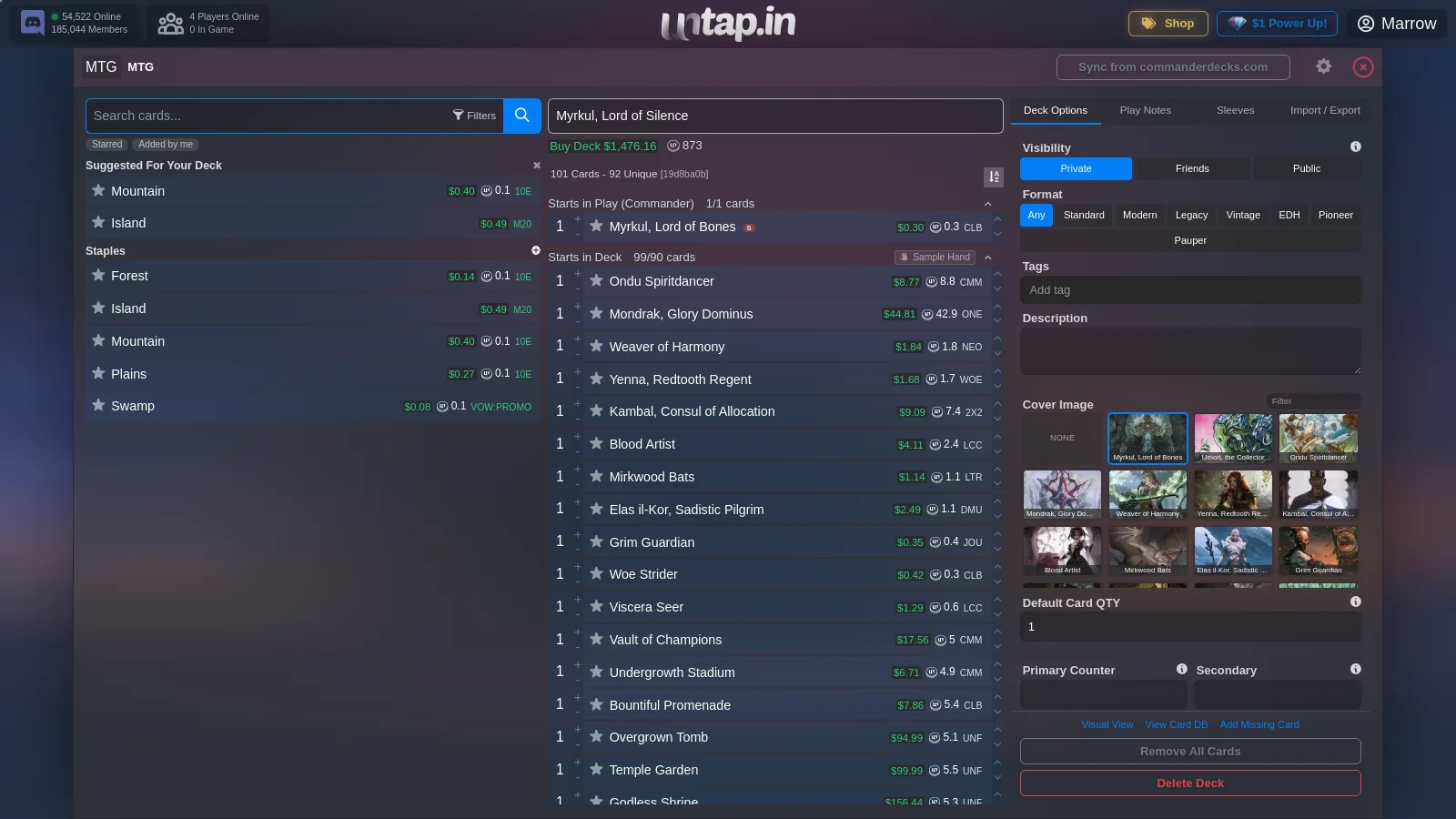
Commanders land in the command zone, sideboards and extra decks land in their own piles, and the printing on each line is kept where the source carries one, so the alt-art you picked is the alt-art you play. A deck that came from a URL remembers where it came from: a Sync button in the deck builder re-reads the source after you have edited it there.
The 74 sites that import by URL
| Game | Sites |
|---|---|
| Magic: The Gathering | aetherhub.com, archidekt.com, cardkingdom.com, commanderdecks.com, commandersalt.com, commandertemplate.com, deckbox.org, deckcheck.co, edhlab.gg, edhrec.com, manabox.app, manapool.com, manastack.com, moxfield.com, mtg-agents.com, mtg.cardsrealm.com, mtg.wtf, mtga.untapped.gg, mtgdecks.net, mtggoldfish.com, mtgtop8.com, mythic.tools, playgroup.gg, rtcetc.com, scrycheck.com, scryfall.com, spellweave.app, starcitygames.com, streamdecker.com, tcgplayer.com, topdeck.gg, topdecked.com |
| Cardfight!! Vanguard | en.cf-vanguard.com, vanguardcard.io |
| Pokémon TCG | limitlesstcg.com, pokemoncard.io |
| Digimon Card Game | digimoncard.io, digimonmeta.com |
| One Piece Card Game | onepiece-cardgame.dev, onepiece.gg, onepiece.limitlesstcg.com, onepiecetopdecks.com |
| Yu-Gi-Oh! | duelingbook.com, ygoprodeck.com |
| Force of Will | forceofwind.online |
| Disney Lorcana | dreamborn.ink, inkdecks.com, lorcania.com |
| Future Card Buddyfight | opentheflag.com |
| Final Fantasy TCG | ffdecks.com, materiahunter.com |
| Flesh and Blood | fabrary.net |
| Warlord: Saga of the Storm | warlordccgdb.com, warlorddb.com |
| Weiß Schwarz | encoredecks.com |
| Universal Fighting System | universus.cards |
| Grand Archive | shoutatyourdecks.com |
| Riftbound | piltoverarchive.com, riftbound.gg, riftdecks.com, riftmana.com |
| Star Wars: Unlimited | swudb.com |
| Vampire: The Eternal Struggle | amaranth.vtes.co.nz, vdb.im |
| Android: Netrunner | netrunnerdb.com |
| Cyberpunk TCG | cyberpunktcg.com |
| Palworld TCG | palworldtcg.gg |
| CookieRun: Braverse | cookierunbraverse.com |
| Sorcery, Contested Realm | sorcerytcg.com |
| Soul Masters TCG | soulmastersdb.com |
| Pokémon TCG Pocket | pocket.untapped.gg, pokemontcgpocket.app |
| My Little Pony Card Game (KAYOU) | dreamtcg.vercel.app, ponyrec.net |
A site missing from this table is not a dead end — see the next section. A site you think should be here is one to tell us about; adding one is usually quick.
Import a text list
Every deck site can export a plain-text list, and every game on Untap.in accepts one. Create a deck, choose Import, and paste the list: one card per line, a count in front, with a set code and collector number after it if your source adds one. Arena's export, MTGO's, Moxfield's text export and a list typed by hand all read the same way. The import box has a tab per zone — main deck, sideboard, and whatever else the game has — so paste each part of the list into its own tab.
Two things worth knowing. A name that matches more than one card picks the most-played printing unless the line names a set; and a line that matches nothing is shown to you as unmatched rather than silently dropped, so a typo or a card the database lacks is a thing you see and fix, not a hole you discover mid-game.
When a card does not match
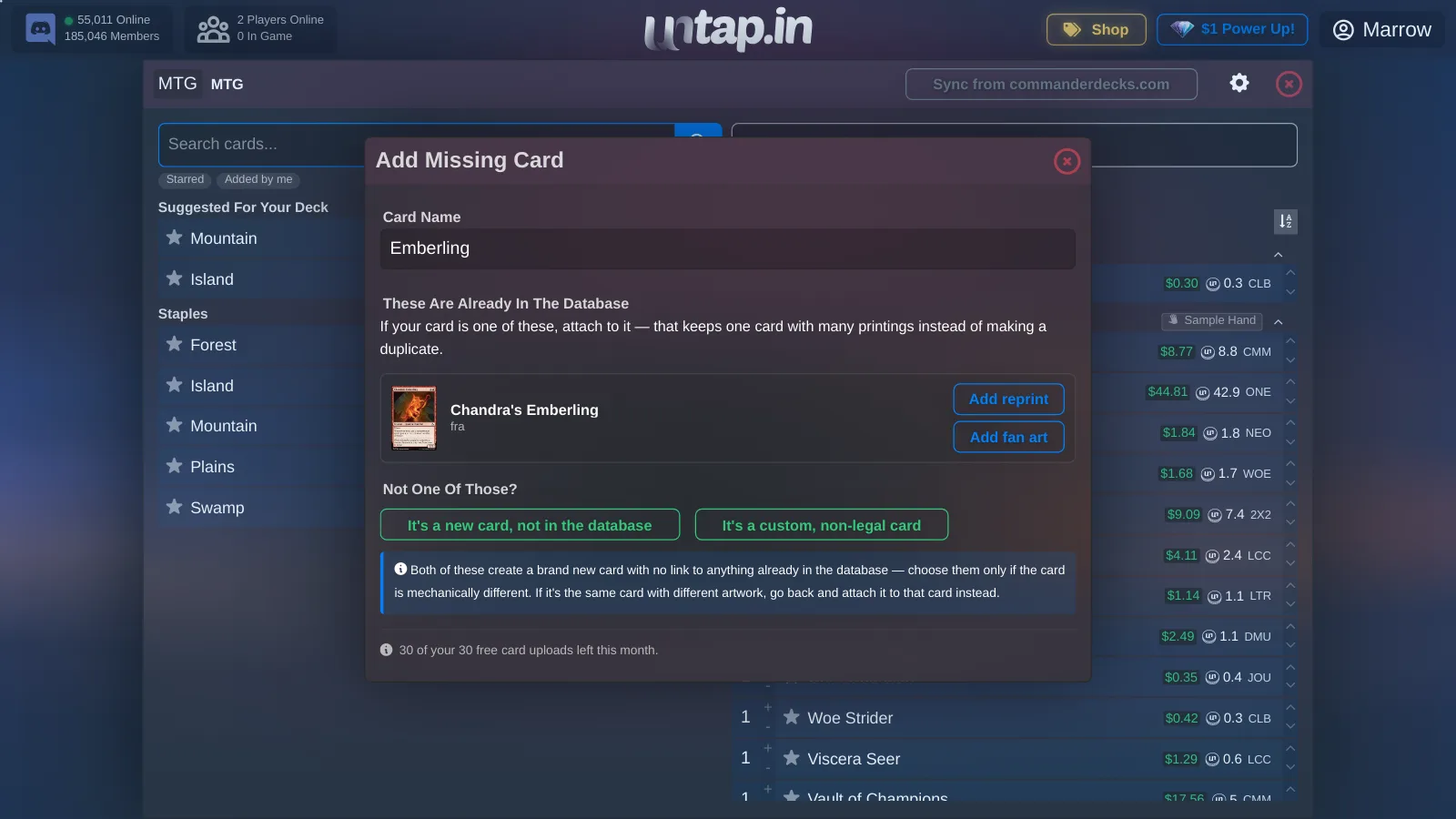
Usually one of three things. The name is spelled differently from the database's spelling (a split card, an accent, a promo name): search for it in the deck builder and add it by hand. The card is newer than last night's sync: it will be there tomorrow, and the nightly card syncs run for every game with an official list. Or the card is not in the database at all — a custom card, a card from a game with no official feed — in which case Add Missing Card in the deck builder lets you add it, with its art and text, and it becomes a card like any other.
Frequently asked questions
Can I import a Moxfield deck into Untap.in?
Yes. Paste the Moxfield deck URL into Decks → Import. The commander goes to the command zone, the sideboard to the sideboard, and every printing is kept.
Can I import an Archidekt deck?
Yes, by URL, the same way. EDHREC, MTGGoldfish, TappedOut-style text exports and the rest work too.
Can I import a decklist from MTG Arena?
Yes. Export the deck from Arena, which copies it to your clipboard, then paste it into Decks → Import as a text list.
What if a card is not found?
The importer lists it as unmatched instead of dropping it. Add it by hand from the deck builder, or with Add Missing Card if the database does not have it at all.
Does the import keep my chosen printings?
Yes, wherever the source carries them. A line without a printing gets the most-played one, which you can change in the deck builder.
Can I keep the deck in sync with the site I built it on?
Yes. A deck imported from a URL has a Sync button in the deck builder that re-reads the source.
Which games can I import decks for?
Any game on Untap.in takes a text list. 74 sites across 26 games import by URL; the table above lists them.
Bring a list
Import a deck, goldfish a few hands, then open a table and send your pod the link. It runs in the browser, and the first play-test takes about as long to set up as reading this did.
Play-test a deck nowMore guides
Where to play Commander online depends on what you are trying to do: goldfish a new list, play your pod across three cities, play your paper deck over webcam, or have the rules enforced. Every option, honestly compared.
Updated 11 November 2026 How to play-test a Magic deck onlineGoldfishing tells you whether a list works on its own; a real opponent tells you whether it works. How to do both online, what the deck-site playtesters can and cannot do, and how to test a change instead of guessing.
Updated 11 November 2026 MTG Arena has no Commander. Here is how to play it anywayArena's Brawl is two players at 25 life, and there is no four-player mode. Export the deck from Arena, paste it into Untap.in, and sit at a four-seat Commander table in the browser with the list you already built.
Updated 11 November 2026 Draft online, then play the deck you draftedBooster draft, cube and sealed in the browser: bots fill the empty seats, you draft from any set in the database or a CubeCobra list, and the deck you build is played at the same table. Compared honestly with the pick-trainers.
Updated 11 November 2026 A Cockatrice alternative that runs in the browserCockatrice is a free desktop tabletop for Magic with no rules engine. Untap.in is the same idea with no download, voice at the table, rewind, replays and 50-odd other card games. When to switch, and when not to.
Updated 11 November 2026 An XMage alternative, for the half of you who should switchXMage enforces every rule and runs as a Java download. Untap.in trusts the table and runs in the browser. Which one you want depends on whether you are learning the rules or play-testing a deck — this page says which is which.
Updated 11 November 2026 A Tabletop Simulator alternative for card gamesTabletop Simulator is a paid 3D sandbox that becomes a card table through mods. Untap.in is a flat table built for card games, free for everyone at it, with the card database kept for you. For Magic and 50-odd other games.
Updated 11 November 2026 Play-test your own card game onlineDesigning a card game, or custom cards for one? Upload the cards with their art and text, build decks from them, goldfish alone or sit on both sides, then play-test against real people in the browser. No rules engine to code against.
Updated 11 November 2026 Pokémon TCG Pocket on a shared tablePlay-test a Pokémon TCG Pocket deck online with cards you have not pulled yet, against a friend, in the browser. Twenty-card decks, Limitless import, points on a counter, no rules engine. What the app does that a table cannot, and the other way round.
Updated 11 November 2026 Pokémon TCG online in the formats the official client will not runTCG Live runs Standard, a trimmed Expanded, and Gym Leader Challenge only in rotating windows. A shared table runs whatever your group agrees to: full Expanded, GLC any day, a 2003 deck against a 2005 deck. How, and what to expect.
Updated 11 November 2026 Play Union Arena onlineBandai has no online client for Union Arena, and TCG+ builds decks but does not play. Untap.in has the card pool and a two-seat table in the browser: import or type a fifty-card deck, send a link, and play the game the way you would across a mat.
Updated 11 November 2026 Play Final Fantasy TCG onlineA browser table for Final Fantasy TCG with every printing synced from Square Enix's official card list, deck import from FFDecks and Materia Hunter, and a real opponent. For when the Tabletop Simulator mod is four sets behind.
Updated 11 November 2026